
New Features Added to the Word Search Puzzle Tool
We’ve just released several highly requested updates to the Word Search Puzzle Tool that make it easier than ever to create unique and engaging word search books.
Whether you’re publishing on Amazon KDP, creating printable activities, developing educational resources, or building interactive PDF puzzle books, these new features provide even more ways to customize your puzzles and stand out from the competition.
I’ve created a video walkthrough showing exactly how each of these new features works. Click below to watch the tutorial.
Missing Vowels Puzzles
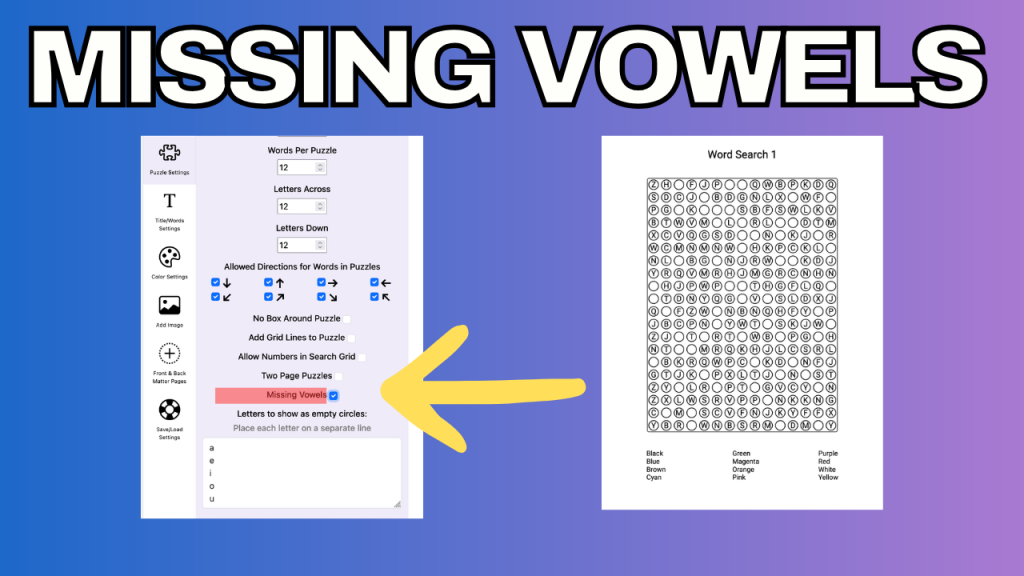
One of the most requested additions has been the ability to create Missing Vowels word search puzzles.
With this option enabled, selected letters are replaced with empty circles throughout both the puzzle grid and the printed word list. By default, the tool treats A, E, I, O, and U as vowels, but you can fully customize which letters are replaced.
This flexibility allows you to:
- Create traditional missing vowels puzzles
- Include Y as a vowel
- Support accented vowels for other languages
- Create your own custom puzzle variations
The result is a familiar word search with an extra layer of challenge for the solver.
Hidden Phrase Puzzles
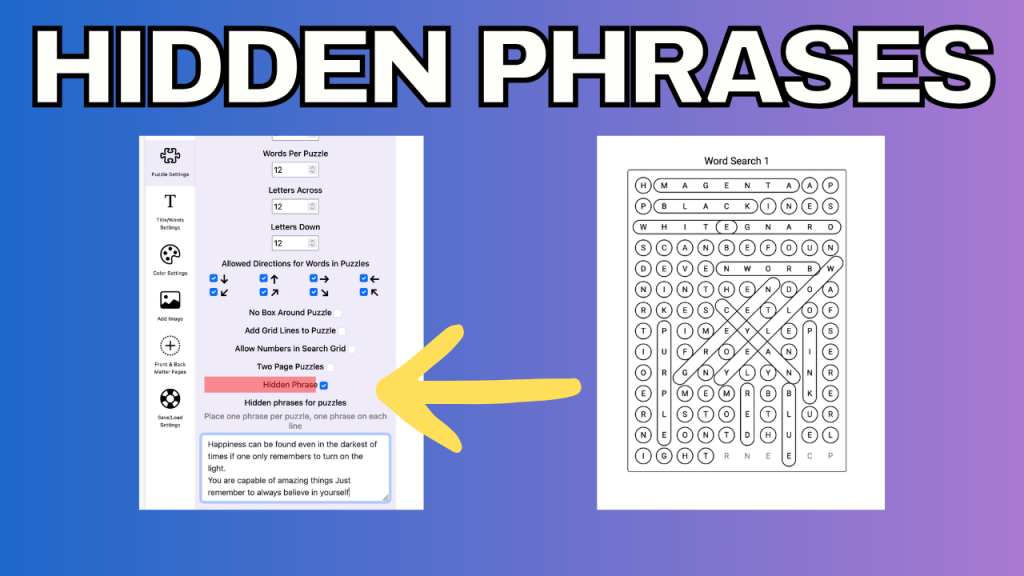
You can now create Hidden Phrase word search puzzles.
In these puzzles, the letters that are not part of any word in the word list reveal a secret phrase when read from left to right and top to bottom.
Simply provide one hidden phrase for each puzzle and the tool automatically generates a puzzle that reveals that message.
Hidden Phrase puzzles are perfect for:
- Inspirational quote books
- Educational puzzle books
- Holiday-themed puzzles
- Trivia and fact-based puzzle collections
- Personalized puzzle books
This feature adds a fun surprise element that many puzzle solvers enjoy.
Clues Instead of Word Lists
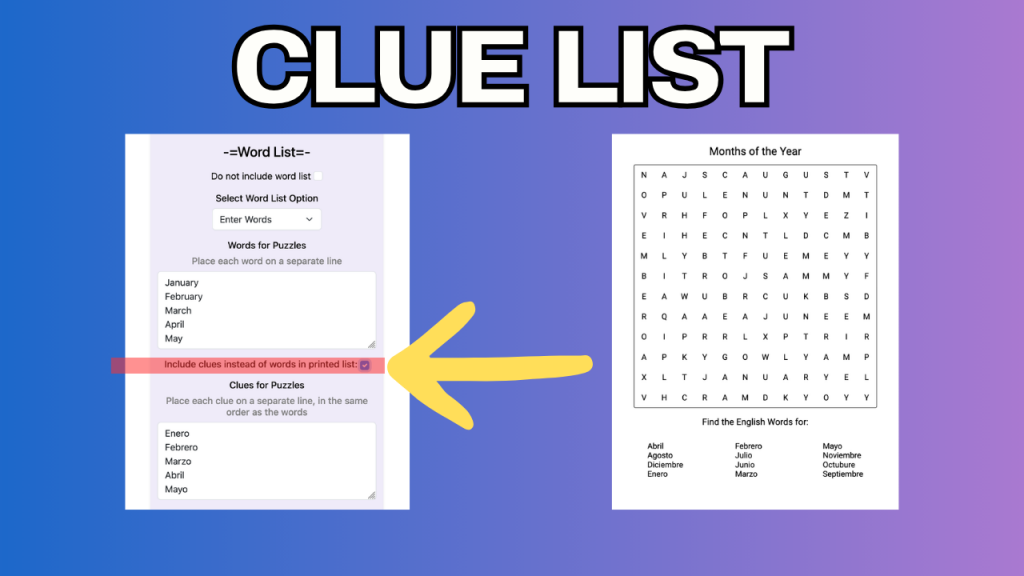
Another exciting addition is the ability to replace the traditional word list with clues.
Instead of seeing the words they need to find, solvers are presented with clues and must determine the answers before searching for them in the puzzle grid.
This creates a puzzle experience that combines elements of both word searches and crosswords.
Clue-based word searches work particularly well for:
- Educational resources
- Vocabulary practice
- Classroom activities
- Themed puzzle books
- Trivia-based puzzles
Simply provide one clue for each word and the tool handles the rest.
Blank Lines Instead of Word Lists
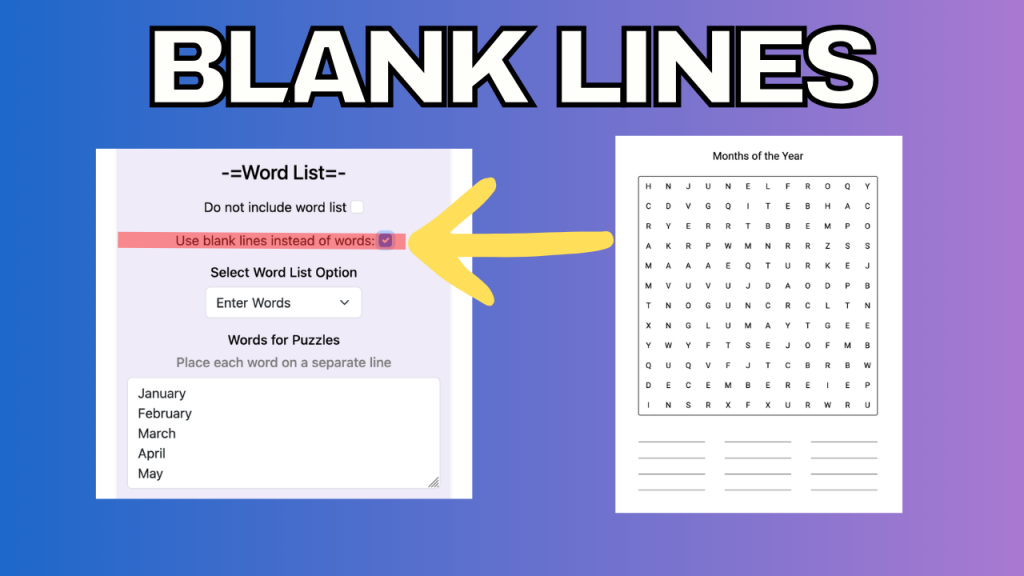
For creators looking for an even greater challenge, you can now replace the word list entirely with blank lines.
When enabled, no words are shown below the puzzle. Instead, a blank line is provided for each hidden word.
As solvers discover words in the puzzle grid, they can write their answers on the provided lines.
This option is ideal for:
- Vocabulary-building exercises
- Classroom worksheets
- Advanced puzzle books
- Word discovery activities
It encourages independent problem-solving and creates a completely different puzzle-solving experience.
Bonus Feature: Word List Alignment
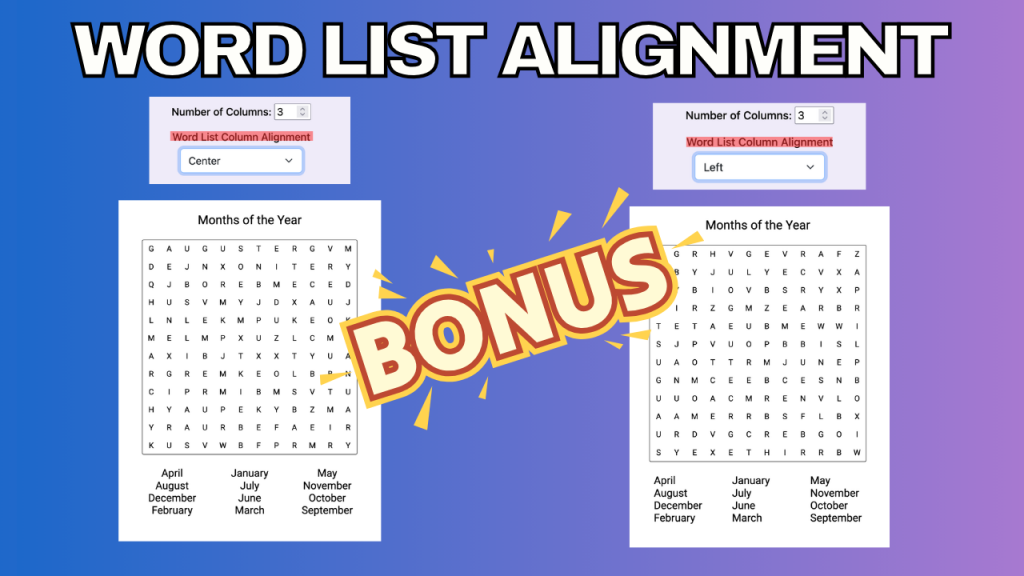
As a bonus, we’ve also added a feature that many members have requested over the years.
You can now choose how the word list is aligned on the page.
Previously, word lists were always left aligned. Now you can select either:
- Left Alignment
- Center Alignment
While this may seem like a small change, it gives creators more control over the appearance and overall design of their puzzle books.
Available Now
All of these features are available now in the Word Search Puzzle Tool.
These updates provide several new puzzle variations without requiring you to learn a new tool or create an entirely different type of puzzle book.
If you haven’t tried the new features yet, log in to your A Book Creator account and start experimenting with them today.
As always, many of these enhancements came directly from member suggestions. Thank you to everyone who continues to share ideas and help make A Book Creator even better.