
Major Graph Paper Tool Update: New Shapes, Split Layouts, Rotating Titles & More!
The Graph Paper Tool just got one of its biggest updates yet! Whether you’re creating notebooks, planners, educational resources, knitting charts, game maps, or engineering paper, these new features give you even more flexibility to design exactly what you need.
Let’s take a look at what’s new.
Three New Graph Paper Styles
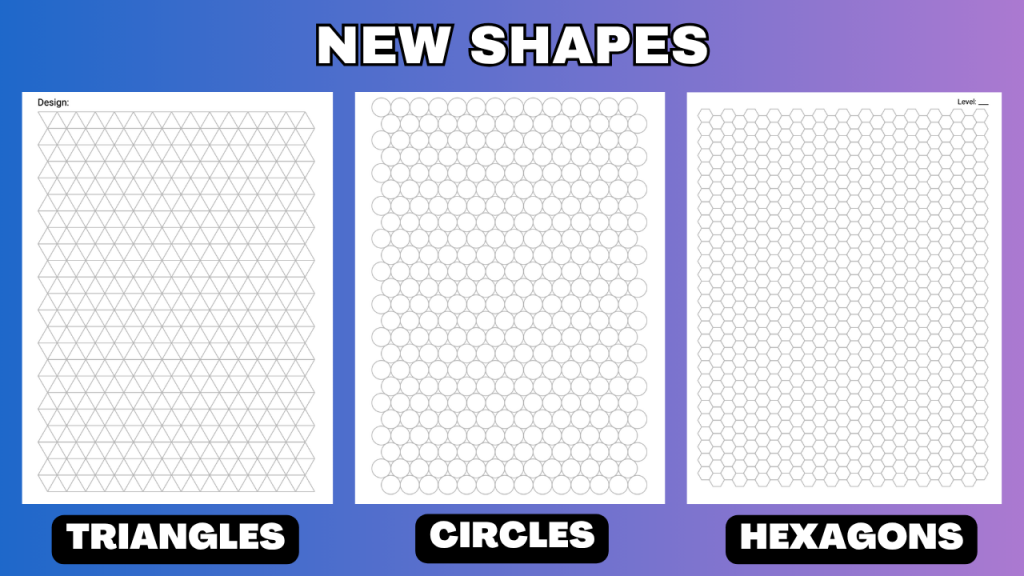
In addition to traditional square graph paper, you can now create:
- Triangle graph paper
- Hexagon graph paper
- Circle graph paper
Each new graph style includes customizable settings so you can adjust the size of the shapes and the line thickness to match your project.
These new layouts are perfect for:
- Math and geometry activities
- Engineering and design
- Tabletop game maps
- Quilting and crafting
- Educational worksheets
- Creative notebooks
New Split Page Layouts
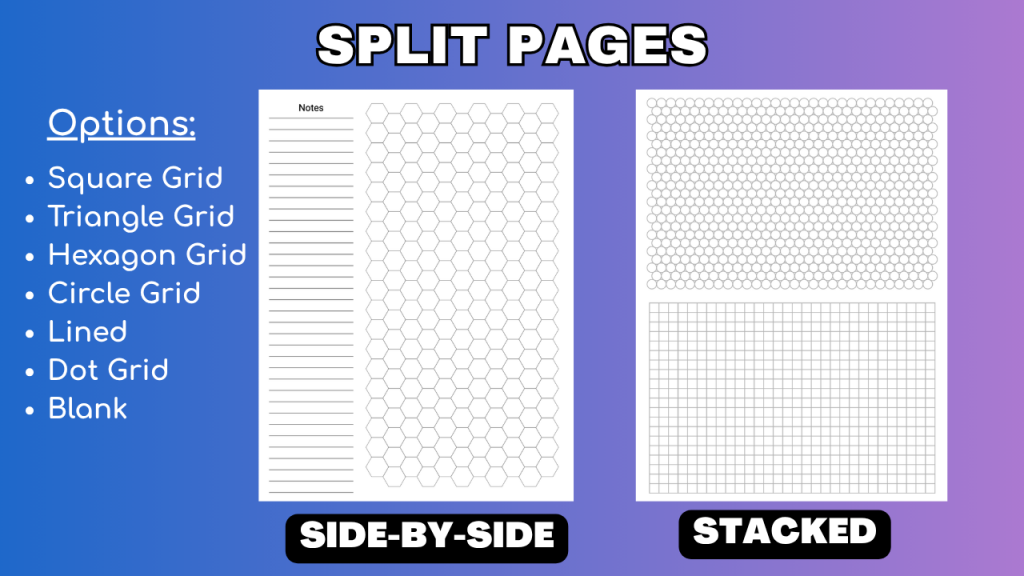
One of the most exciting additions is the ability to divide a page into two completely independent sections.
Choose between:
- Side-by-side sections
- Top-and-bottom sections
Each section can use any of the seven available paper types:
- Square graph
- Triangle graph
- Hexagon graph
- Circle graph
- Lined
- Dot grid
- Blank
Because each section has its own settings, you can easily create pages such as:
- Lined notes beside graph paper
- Dot grid above a sketch area
- Hexagon maps with a notes section
- Blank space paired with graph paper for diagrams
This makes it easy to build custom journals, planners, worksheets, and project notebooks without using multiple tools.
Emphasize Every Nth Line
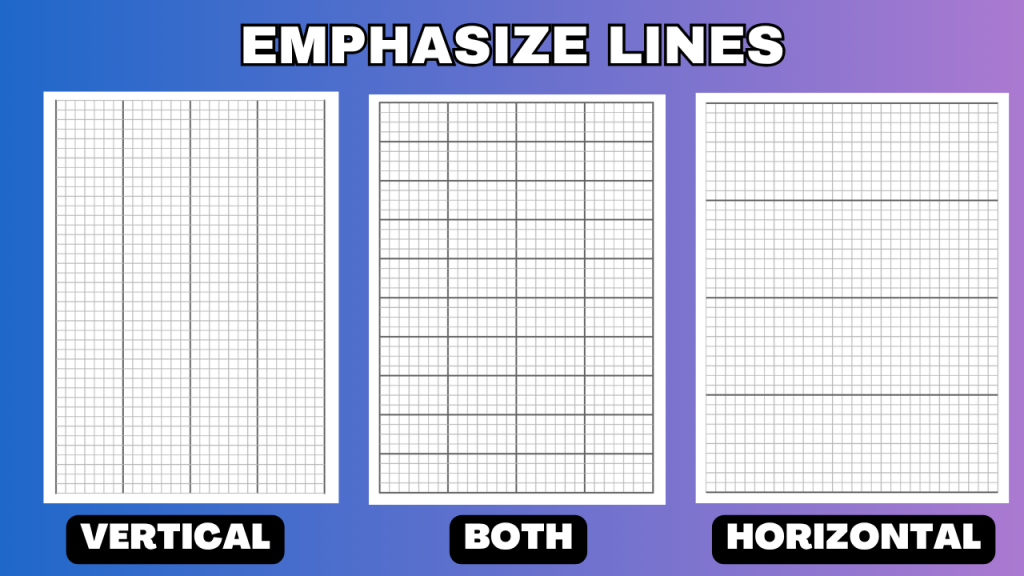
We’ve also added a powerful new feature for square graph paper: independent line emphasis.
You can now choose to emphasize every Nth horizontal line and every Nth vertical line separately.
For each direction, you can customize:
- Whether emphasis is enabled
- Line spacing (every Nth line)
- Line thickness
- Line color
This makes it easy to create specialty graph paper for a wide variety of uses.
One great example is knitting charts, where emphasizing every tenth horizontal row makes it much easier to count stitches while keeping the vertical grid lines light.
It’s also useful for:
- Cross-stitch patterns
- Pixel art
- Engineering paper
- Design layouts
- Technical drawing
- Educational worksheets
Rotating Page and Section Titles
The Graph Paper Tool now supports rotating title prompts.
Simply enter a list of titles, and each generated page automatically uses the next title in the list before repeating.
For example:
- Monday
- Tuesday
- Wednesday
- Thursday
- Friday
- Saturday
- Sunday
This is ideal for creating:
- Weekly planners
- Student workbooks
- Practice books
- Daily journals
- Training logs
When using split-page layouts, you can choose whether to place:
- One title at the top of the page, or
- Separate titles for each section.
You can even leave one section untitled while adding rotating titles to the other section, giving you complete control over the page design.
Watch the Complete Tutorial
To help you get started, we’ve created a complete tutorial demonstrating each of these new features, along with practical examples showing how they can be used to create custom graph paper for a variety of projects.
Whether you’re designing planners, notebooks, classroom resources, game boards, or specialty paper, these updates make the Graph Paper Tool more flexible than ever.
This update is is available now for all members in the Graph Paper Tool, so try it in your next project.
Not a member? Sign up for a free 3-day trial.